
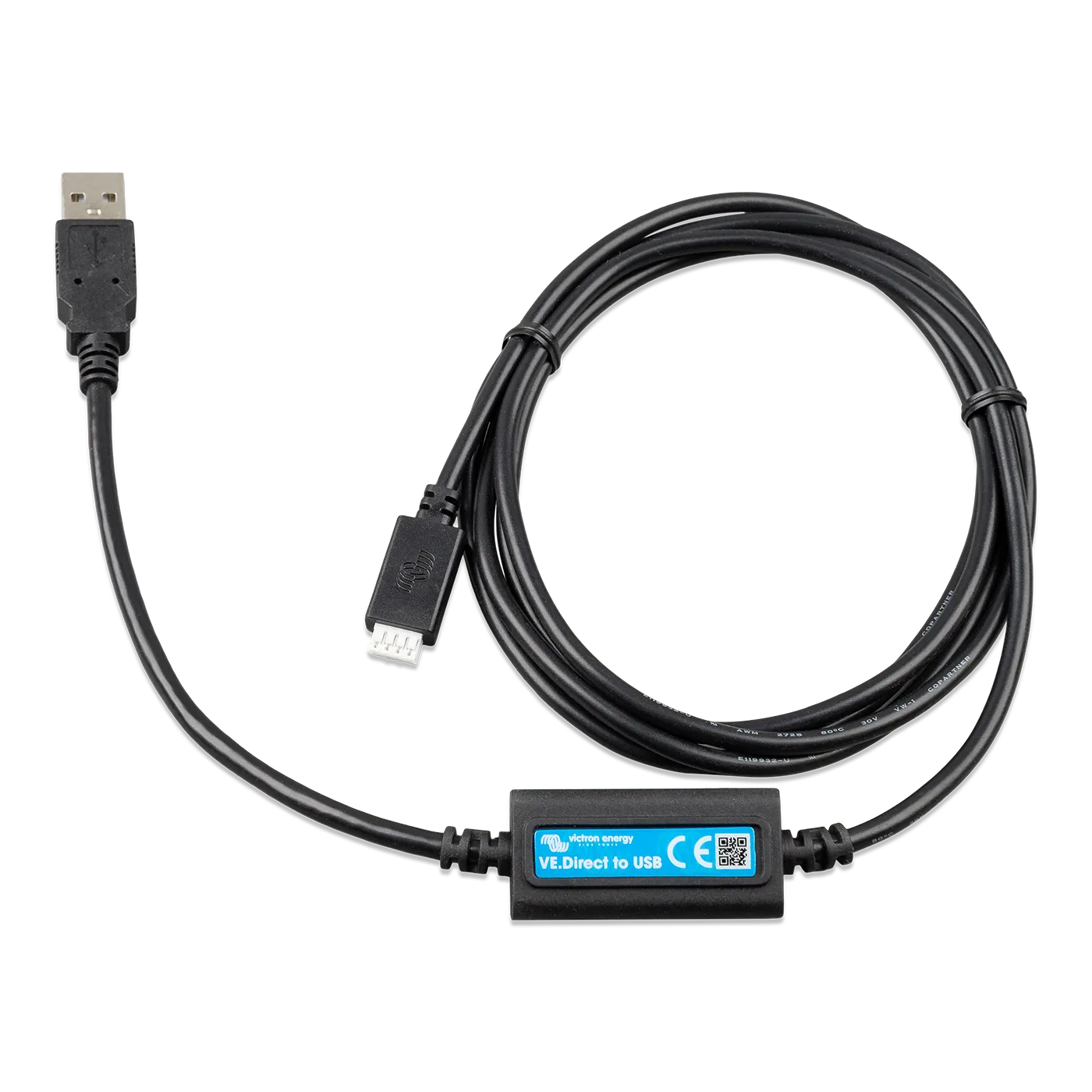
Victron VE.Direct to USB Interface for PC & GX Devices
Los Angeles — · Atlanta —
Victron's US warehouse count as of —. Indicative, not reserved.
Need more than we have in Seattle? Send us the quantity and we'll email you a secure checkout link. Larger orders going to a business address ship direct from Victron's US warehouse (typically 5–7 business days); everything else we bring into Seattle on our weekly Victron order and ship to you when it lands (typically 1–2 weeks).
 Free shipping over $49
 60-day hassle-free returns
The cable that connects a VE.Direct Victron device to your laptop — and the trick installers use to add more VE.Direct devices to a Cerbo GX. Plug the VE.Direct end into any SmartSolar MPPT, SmartShunt, BMV-7 series battery monitor, Phoenix Inverter Smart, Orion-Tr Smart, or Orion XS DC-DC; plug the USB-A end into a Windows PC or Mac running VEConfigure / VictronConnect, or into a Cerbo GX / Ekrano GX USB host port to add the device to the system as if it were on a native VE.Direct port.
- Works with every VE.Direct-equipped Victron device — SmartSolar MPPTs (75/10 through 250/100), SmartShunt, BMV-700/702/712, Phoenix Inverter Smart, Orion-Tr Smart, and Orion XS DC-DC chargers. Same compatibility list as the passive VE.Direct cable, but with a USB connector on one end.
- Use case 1: configure or monitor from a computer. Read live data, change settings, and run firmware updates on any VE.Direct device through VictronConnect (Windows / macOS) or VEConfigure. For SmartSolar MPPTs and SmartShunts, this is how you go beyond what the phone app exposes — setting custom charge curves, equalisation cycles, advanced battery monitor parameters.
- Use case 2: add a VE.Direct device to a GX system via USB. Plug a VE.Direct device into a Cerbo GX or Ekrano GX USB host port via this interface, and the GX picks it up as if it were on a native VE.Direct port. Common move when a system has multiple SmartSolar MPPTs plus a SmartShunt plus a BMV, all reporting to one GX.
- Different from the MK3-USB Interface. The MK3-USB is for VE.Bus devices (MultiPlus, MultiPlus-II, Quattro). This VE.Direct interface is for the smaller monitoring and charging devices (MPPTs, SmartShunt, BMV, Phoenix Inverter Smart). Buyers configuring an inverter/charger want the MK3-USB; buyers configuring an MPPT or battery monitor want this one.
- Genuine Victron Energy interface — ISO 9001 manufactured, full 5-year Victron warranty.
If you only need to read status data on a Smart product, VictronConnect over Bluetooth is the easier path — no cable required. Reach for this USB interface when you want PC-level configuration (custom charge curves, firmware updates, VEConfigure-style depth) or when you're building a multi-device GX system. Book a system consultation if you'd like our ABYC-certified Advisors to spec the comms wiring for your build. See the full cables and accessories collection for VE.Direct cables, RJ45 UTP, and the rest of the Victron comm range.
Why buy your Victron VE.Direct to USB Interface from Blue Marine
- Authorized Victron Energy Distributor — full Victron line in stock.
- Free US shipping over $49 from our Seattle warehouse.
- 60-day hassle-free returns.
- Local pickup available in Seattle, WA.
- System sizing help from ABYC-certified Advisors at support@bluemarine.com or (800) 628-6306.
Manuals & Datasheets
Need a document you don't see here? Schedule a consultation or email support@bluemarine.com and we'll send it over.
Choose options

About Blue Marine
Nationwide Shipping from Our Warehouse in Seattle
Knowledgeable ABYC Certified advisors, friendly advice and fast shipping.